Introduction
In today’s fiercely competitive online marketplace, a seamless shopping experience isn’t optional—it’s a necessity. One bug, slow page load, or failed payment can lead to lost revenue and diminished customer trust. That’s where professional eCommerce testing services come in. These services are the backbone of a high-performing, reliable online store, helping businesses identify issues early and scale with confidence. If you’re planning to improve your store’s quality, you can get a quote to understand the scope and cost of tailored testing solutions.
In this long-form guide, we’ll explore everything you need to know to make informed decisions, and if you have questions along the way, feel free to contact us for expert guidance. We’ll cover:
-
What eCommerce testing is and why it matters
-
Key types of testing, like functional, performance, security, usability, and SEO
-
Challenges in eCommerce testing
-
Best practices and proven strategies
-
How to choose the right testing vendor
-
Future trends in eCommerce testing
What Are eCommerce Testing Services?
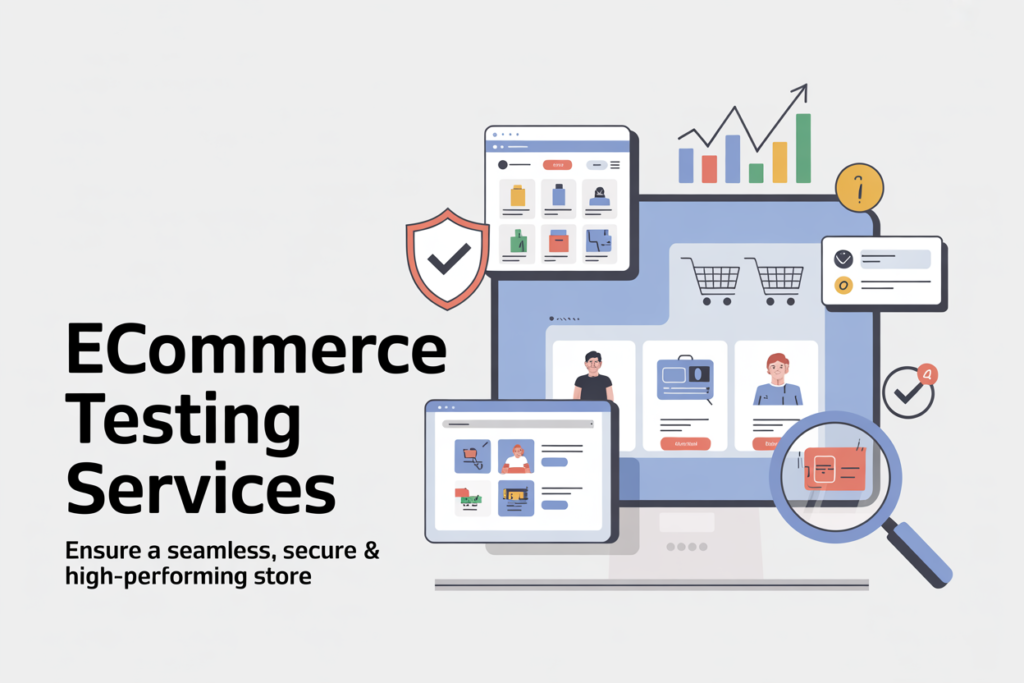
eCommerce testing services consist of professional testing and quality assurance procedures targeted at the online stores and related digital platforms. In contrast to the general web testing, eCommerce testing considers flows and functions that are unique to digital commerce, which includes product catalogs, shopping cart, checkout, payment gateway, order management, promotions, and customer accounts.
In fact, such services ensure that everything in your online store is functioning properly, is high-performing, and offers a secure and user-friendly experience on devices and browsers.
According to the latest guides, the functionality, usability, performance, security, compatibility and SEO are all covered in eCommerce testing.
Why eCommerce Testing Services Matter

- Revenue protection: Every failed checkout or broken link can directly cost you sales.
- User trust and retention: A smooth, error-free experience fosters repeat business.
- Brand reputation: A glitchy site reflects poorly on your brand.
- Scalability and readiness: During sales campaigns, traffic peaks, so your site must hold up.
- Regulatory and security compliance: Protect user data, meet PCI, GDPR, etc.
- Competitive edge: A better experience can differentiate your store in a saturated market.
The cost of downtime or errors is nontrivial, even one second of extra load time can reduce conversions by 7%.
Types of eCommerce Testing Services
A mature eCommerce testing approach will include multiple test types. Below is a breakdown of key testing disciplines for online stores.
1. Functional Testing
Functional testing verifies that all eCommerce features behave as expected. It includes:
- Product search and filtering
- Catalog navigation
- Add to cart / remove from cart
- Shopping cart persistence
- Checkout workflow (shipping, taxes, discount codes)
- Payment gateway integration
- Order confirmation and notification
- User account registration, login, profile management
- Admin panel (inventory, order management)
- Returns, refunds, cancellations
Functional tests often form the baseline “smoke tests” to ensure critical flows are operational.
2. Performance & Load Testing
Performance testing checks how the site behaves under normal to heavy traffic. Types include:
- Load testing: Simulate many users to check responsiveness
- Stress testing: Test extreme loads until breakdown
- Soak testing: Run consistent load over long duration
- Spike testing: Sudden bursts of traffic
These help identify bottlenecks, memory leaks, server limits, or database constraints. Because eCommerce sites often experience traffic peaks for example Black Friday, performance testing is indispensable.
3. Security Testing
Security is critical for eCommerce due to sensitive user data and financial transactions. Key areas:
- SSL / TLS configuration
- Payment card industry (PCI) compliance
- Vulnerability scanning (SQL injection, XSS, CSRF)
- Penetration testing
- Data encryption
- Authentication / authorization
- Session management
- Rate limiting, brute-force detection
Failing security tests can lead to data breaches, legal liabilities, and brand damage.
4. Usability / UX Testing (User Experience)
Usability testing evaluates how real users interact with the site. It assesses:
- Ease of navigation
- Clarity of calls to action
- Readability of product descriptions
- Clarity of forms
- Error messages and recovery paths
- Accessibility (WCAG guidelines)
By observing how users perform tasks, you can identify friction points and improve the shopping journey.
5. Compatibility Testing
Your site must perform well across:
- Browsers (Chrome, Firefox, Edge, Safari.)
- Browser versions
- Devices (desktop, tablet, mobile)
- Screen resolutions
- Operating systems (Windows, macOS, iOS, Android)
Compatibility testing ensures a consistent experience across different environments.
6. Regression Testing
Regression testing will be invoked whenever you update (add new features, UI, bug fixes, etc.). Continuous delivery requires automated regression suites.
7. Integration Testing & API Testing
eCommerce sites often integrate with:
- Payment gateways
- Shipping and logistics providers
- Inventory / ERP systems
- CRM systems
- Marketing platforms
- External APIs
Integration tests validate communication, data consistency, error handling, and edge cases across these systems.
8. SEO Testing and SEO QA
Search engine optimization is vital for organic traffic. SEO testing includes:
- URL structure
- Meta tags (title, description)
- Header tags (H1, H2)
- Schema / structured data (product, review, breadcrumbs)
- Canonical tags, pagination
- Link structure & internal linking
- Site speed / Core Web Vitals
- Mobile-first behavior
- Duplicate content identification
Well-executed SEO testing helps ensure your site is indexable, usable, and optimized for search. Google’s best practices for eCommerce reveal many technical aspects to get right. Google for Developers Also, controlled SEO split-testing approaches are growing in adoption for data-driven SEO change management.
Challenges in eCommerce Testing
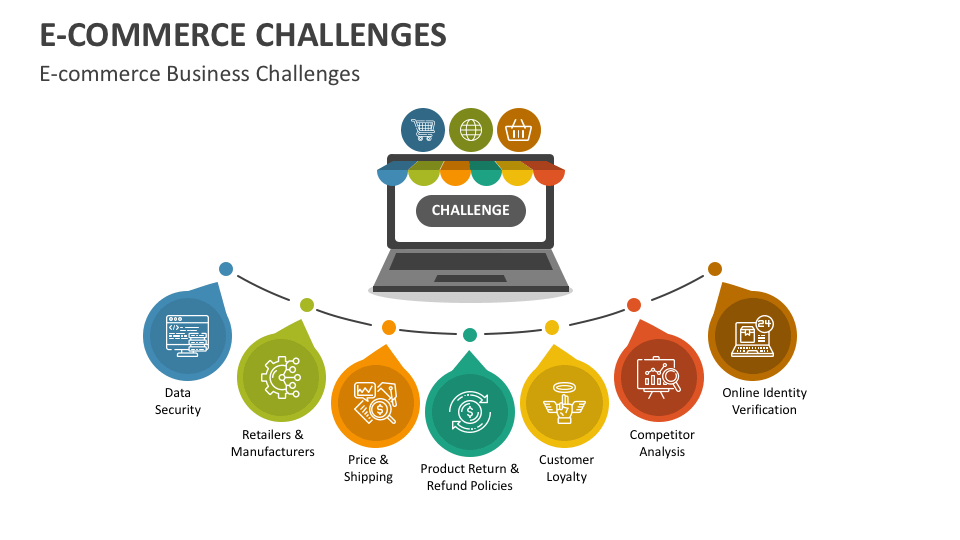
Testing eCommerce platforms is inherently more complex than typical web applications. Some of the challenges include:
Complex Workflows and State Dependencies
Shopping flows are multi-step with a state cart, a session that must persist across pages and failures.
Third-Party Integrations and Unpredictability
External systems ,payment, shipping, APIs may change, fail, or behave unpredictably, you must test for resilience and fallback behavior.
Data Volume and Test Data Management
With many products, SKUs, categories, options, and users, managing realistic test data is hard. Using sanitized production data (anonymized) is common.
Environment Parity
Your test/staging environment must mirror production (same scale, configurations) to catch issues that only occur under real conditions.
Test Coverage and Prioritization
There’s a vast test surface. Prioritize critical flows (checkout, search) vs optional features. Balance depth vs cost.
Handling Asynchrony and Timing Issues
AJAX calls, delayed operations, caching, and concurrency introduce timing variances that tests must accommodate for example waits, retries.
Browser & Device Fragmentation
Infinite combinations of browsers, OS, devices, versions, testing coverage must be strategic.
SEO & Indexing Effects
SEO changes might require waiting for Google to index before seeing effects; seasonality or external SEO campaigns can confound test attribution.
Best Practices and Strategy for eCommerce Testing
Here are proven strategies to make your eCommerce testing efficient, scalable, and impactful.
1. Start with Clear Objectives and Risk-Based Prioritization
Know your business-critical journeys for example search → cart → checkout. Focus testing where risk is highest (payment, data integrity).
2. Build a Comprehensive Test Plan / Checklist
Include all test types (functional, performance, security, compatibility, SEO). Use a checklist to ensure no coverage gap. As shown in guides, typical checklists include homepage, navigation, product pages, cart, checkout, payments, accounts, and non-functional tests.
3. Automate Where It Makes Sense
Automate repetitive, high-value flows (checkout, search, regression suites). Use frameworks like Selenium, Cypress, Playwright, or commercial tools. Ensure maintainability.
4. Incorporate Manual and Exploratory Testing
Some issues emerge only through real user interaction. Exploratory tests can surface UI hiccups, usability problems, and edge case behavior.
5. Integrate Testing into CI/CD Pipeline
Run regressions automatically on code commits, merges, or releases to catch regressions early.
6. Use Realistic, Varied Test Data
Simulate multiple user types, geography, currencies, inventory states. Use anonymized data from production to replicate real-world scenarios.
7. Monitor Metrics & Logs
While testing, collect performance metrics, server logs, error traces. Analyze anomalies, slow endpoints, and warning thresholds.
8. Version Control & Modular Tests
Keep test scripts in version control with modular, reusable components. Maintainability is vital as the eCommerce site evolves.
9. Use Page Object & Design Patterns
Use design patterns (page objects, test data factories) to keep tests cleaner and easier to manage as UI changes.
10. Run SEO Tests Carefully (A/B or Split Tests)
- Use SEO split tests (control vs variant) to validate SEO changes before rolling out broadly.
- Control external factors: avoid concurrent site-wide changes, limit external link acquisition, etc.
- Give tests time (4–6 weeks or more) to account for indexing delays.
11. Performance Testing at Scale
Simulate peak traffic, gradual ramp-up, spikes. Monitor bottlenecks, memory leaks, CPU, database index use.
12. Security and Penetration Testing Periodically
Conduct regular security audits, especially when new modules or integrations are added. Use third-party pentest vendors if needed.
13. Regression Maintenance and Test Pruning
Over time, tests can become obsolete or brittle. Routinely review test suites, remove redundant tests, and refactor.
14. Collaborate Across Teams
Testing shouldn’t be siloed. Engineers, QA, product managers, operations, and SEO/marketing should collaborate on test plans, especially for changes with cross-cutting impact.
How to Choose an eCommerce Testing Service Provider
If you plan to outsource or partner with a QA/testing vendor, here are criteria to evaluate them:
Domain Expertise
Look for experience in eCommerce platforms (Magento, Shopify, WooCommerce, custom builds). Familiarity with payment gateways, shipping integrations, and eCommerce workflows is a plus.
Test Methodology & Coverage
Ask about their methodology (agile, hybrid), automation vs manual mix, types of tests covered (performance, security, SEO).
Tools and Technology Stack
Ensure they use up-to-date tools (Selenium, Cypress, JMeter, OWASP tools, etc.) and that they can integrate with your tech stack and CI/CD.
Scalability & On-Demand Support
Your eCommerce site may ramp up, the testing vendor should scale with you, provide more resources during campaigns, or respond to urgent issues.
Test Environment Setup
They should replicate production-like environments, isolate test data, and maintain staging infrastructure.
Reporting and Transparency
Look for clear reporting dashboards, metrics, issue tracking, severity classification, root cause analysis, and actionable insights.
Security and Compliance
If handling live or sensitive data, the vendor must abide by security practices, encrypt data, meet GDPR/PCI standards, and sign NDAs.
Pricing Model
Understand whether pricing is fixed, per test case, per user, or retainer-based. Watch out for hidden costs (maintenance, test updates, idle time).
Communication and Collaboration
Frequent check-ins, status updates, and feedback loops are critical, especially for agile teams.
References and Track Record
Ask for past eCommerce clients, case studies, and results (reduced defects, improved performance metrics, etc.).
Sample eCommerce Testing Workflow and Timeline
Here is a simplified example of a workflow and approximate timeline for a typical release sprint:
| Phase | Activities | Duration |
| Planning & Test Strategy | Define test scope, risk areas, data needs, environment setup | 1–2 days |
| Test Design | Create test cases, scripts (functional, regression, integration) | 2–3 days |
| Environment Setup | Provision staging / QA environment, populate test data | 1 day |
| Automation Scripting | Develop automated scripts for key flows | 3–5 days |
| Manual Testing & Exploratory | Execute UI, usability, edge-case, error paths | 2–3 days |
| Performance & Load Testing | Simulate traffic, test scale / stress | 1–2 days |
| Security Testing | Vulnerability scanning, pentesting (as needed) | 1–2 days |
| Regression Execution | Run full regression suite (automated + manual) | 1 day |
| Bug Reporting & Fix Verification | Log issues, collaborate with developers, retest | Ongoing |
| Sign-off & Pre-Production Validation | Final sanity check on staging, readiness | 0.5 day |
| Post-Release Monitoring | Monitor production for anomalies, rollback plan readiness | 1–2 days |
This timeline may vary depending on complexity, team size, and frequency of releases.
SEO Optimization Considerations for eCommerce Testing Services
Because your article or service page is likely targeting people interested in eCommerce testing, here are SEO tips to help this content rank:
Keyword Strategy
- Primary keywords: eCommerce testing services, eCommerce QA, online store testing
- Secondary/long-tail: performance testing for eCommerce, eCommerce security testing services, SEO testing for online store, automated eCommerce testing
- Use variations naturally in headings, subheadings, meta tags, and image alt texts.
On-Page Structure
- Use descriptive headings (H2, H3) with keywords (“Key Types of eCommerce Testing”, “How to Choose an eCommerce Testing Service”)
- Place your primary keyword in title tag, URL, first paragraph, and at least once more in the body
- Use internal linking to related topics or blog posts (e.g. “how to test checkout flow”, “SEO for eCommerce”)
- Use schema where applicable (e.g. Service schema, FAQ schema)
Content Depth & Value
- Provide comprehensive, actionable content, longer articles often perform better
- Use examples, data, case studies (if permissible)
- Include images, diagrams, or flowcharts to illustrate testing processes
- Use lists, tables, and bullet points for readability
Page Speed & Mobile UX

- Ensure this page loads fast (optimize images, lazy load)
- Mobile-first design, responsive layout
- Good Core Web Vitals can aid SEO ranking
Freshness and Updates
- Periodically update the content with new tools, trends, or examples
- Add sections on emerging topics (e.g. AI testing, headless eCommerce, test for voice commerce)
Link Building and Authority
- Earn backlinks from QA, software, or eCommerce blogs
- Guest post or syndicate parts of the content
- Social sharing, newsletters, and partnerships help visibility
Use Analytics and A/B SEO Testing
- Track click-through rate (CTR), bounce rate, time on page
- Run title/meta experiments (SEO split testing) to optimize CTR, especially relevant in eCommerce SEO. SearchPilot and similar tools allow controlled tests on SEO changes.
Future Trends in eCommerce Testing
Understanding emerging trends keeps your testing services competitive and future-proof.
AI / ML–Driven Testing
Test automation enhanced by AI (test case generation, anomaly detection, self-healing scripts). Intelligent bots can optimize test coverage and reduce maintenance.
Headless eCommerce and API-First Testing
As more stores adopt headless architecture or decoupled frontend–backend layers, API and contract testing will be more critical.
Testing for Progressive Web Apps and Mobile-First Commerce
PWAs and mobile-driven commerce demand rigorous mobile and performance testing, offline behavior, caching, and resource prioritization.
Shift-Left and DevOps Integration
Testing earlier in the development lifecycle (shift-left) and integrating more deeply with DevOps pipelines ensures faster feedback and fewer regressions.
Continuous Performance Monitoring (Beyond Pre-Launch)
Rather than just load testing, live monitoring of performance metrics, alerting, synthetic transactions, and real-user monitoring (RUM) will play larger roles.
Testing for Voice Commerce, AR/VR, and Omnichannel
As commerce evolves across new interfaces (voice assistants, AR shopping, in-store + online integration), testing will expand into these domains.
SEO Testing & Experimentation
More organizations will adopt formal SEO A/B testing frameworks to validate on-page changes — not just assumptions.
Summary and Call to Action
To recap:
- With eCommerce testing services, your online store will be reliable, secure, and perform the best in every case.
- Strong testing package includes functional, performance, security, usability, compatibility and search engine optimization.
- ECommerce is a complex aspect that requires planning, automation, data strategy and teamwork.
- The domain experience, transparent reporting, scale-ability of operations and technical ability should be brought by quality test vendors.
- Targeted traffic can be generated by optimizing your service page or content through the use of SEO.
- The future of eCommerce QA will be determined by the emerging trends (AI, headless, continuous testing).
When you are developing an online store or expanding an online store and need to reduce risk, increase conversions, and provide a delightful user experience, you can afford quality eCommerce testing services, which is not an expense, it becomes a necessity.