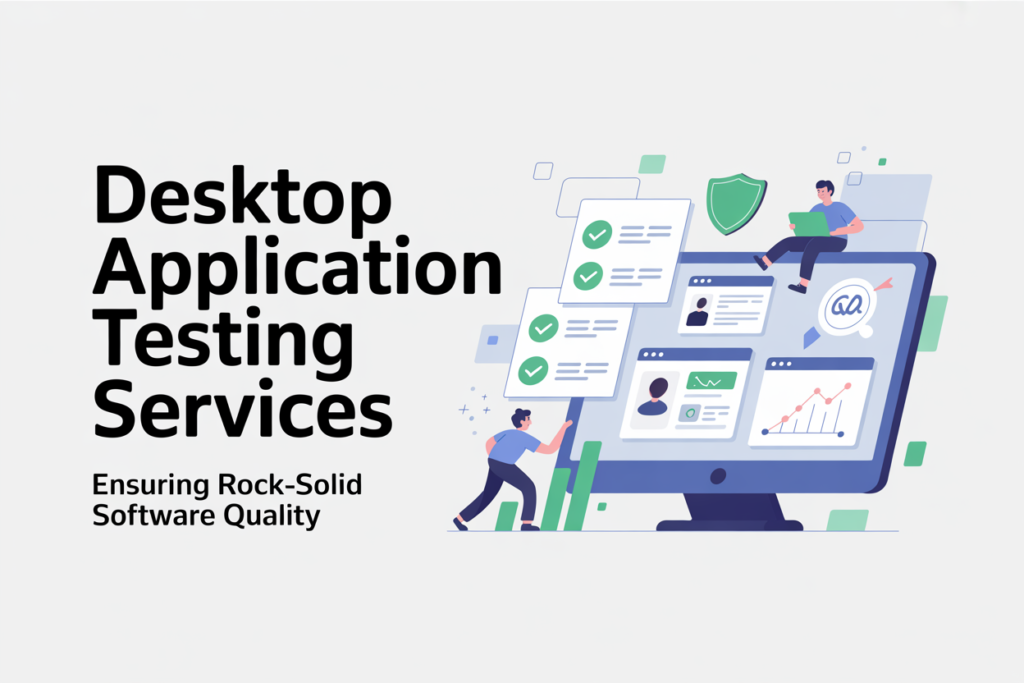
Desktop applications remain critical in an age of web apps, mobile apps and cloud solutions, particularly of enterprise software, engineering tools, productivity suites, and mission-critical solutions. It is not that easy to provide a desktop app which is stable, reliable, secure, and performant on a wide range of machines.
To ensure your desktop application delivers consistent quality across real-world environments, expert testing is not optional—it’s essential. Our specialized desktop application testing services help you identify critical issues early, reduce release risks, and improve user confidence. Contact us to discuss your requirements or get a quote to start validating your application today.
It is at this point that desktop application testing services are introduced. These services assist you in confirming that your software is functional across the operating systems, hardware and User scenarios -fair enough before your users ever lay their eyes upon it.
In this article, we’ll explore.
1. What Is Desktop Application Testing?
Desktop applications remain critical in an age of web apps, mobile apps and cloud solutions, particularly of enterprise software, engineering tools, productivity suites, and mission-critical solutions. It is not that easy to provide a desktop app which is stable, reliable, secure, and performant on a wide range of machines.
It is at this point that desktop application testing services are introduced. These services assist you in confirming that your software is functional across the operating systems, hardware and User scenarios -fair enough before your users ever lay their eyes upon it.
-
- Functional correctness
-
- User interface and usability
-
- Performance, memory, resource usage
-
- Compatibility across OS versions, screen resolutions, hardware specs
-
- Security (especially for software that deals with sensitive data)
-
- Installation, updates, and uninstallation
-
- Stability under edge cases or stress
An excellent definition: Desktop application testing refers to testing the functionality, performance, user interface/user experience, security, compatibility, and reliability of applications installed and running on desktop systems.
2. Why is Desktop Application Testing Services Matter
You might ask: “But what is the point to desktop app testing? We simply test it on a select few machines, and deploy. Here, however, are excellent reasons, why it is essential to have professional testing services:
Broad hardware and environment diversity: Users can differ in CPU, RAM, screen resolution, graphics, operating system patches, video drivers, etc. Bugs can only present themselves in certain configurations.
Extensive OS-level integration: Desktop programs frequently interact with file systems, registry (on Windows), drivers, local databases, etc. The errors made in this connection can crash the system or introduce information loss.
Complexity of installation / updating: All features of the installer, auto-updater, dependencies, rollback and uninstaller should be tested specifically.
Security risks: Desktop applications can work with local files, encryption, system permissions, and privileged actions. Weaknesses must be determined in advance.
Performance/resource management: Memory leaks, CPU spikes, high disk I/O or graphics problems can lead to poor user experience.
Customer trust and reputation: Bad reviews, refunds, loss of brand loyalty and expensive support costs are possible with a bugging desktop application.
Savings in cost: It is less expensive to detect and correct errors at the initial stage as compared to repairing them during manufacturing.
Regulatory/compliance requirements: In regulated markets (financial, health, security) of your software you might require formal testing and auditing.
Due to all that, by outsourcing to desktop application testing service, you could be sure that your app would go to market in a proper shape, as you may ask your core team to concentrate on features.
3. Challenges in Desktop Application Testing
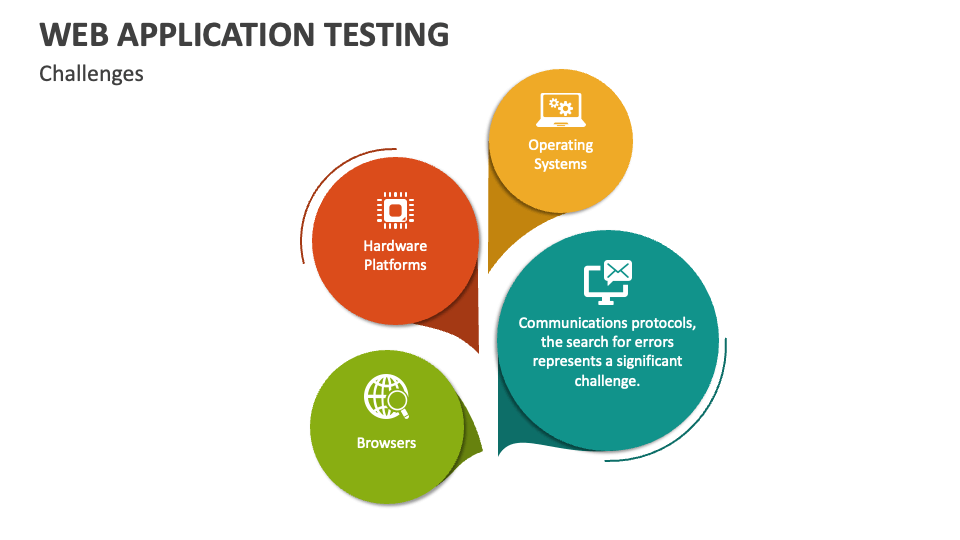
Desktop apps are more difficult to test than it appears. Some of the challenges are:
Fragmentation of the platform: Supporting a variety of OS versions (Windows 10/11, a range of Linux versions, macOS versions) creates complexity.
Hardware variation Differences in CPU, graphics card, memory, disk speed, display refresh rate, etc., can cause bugs to be intermittent.
Tooling constraints: Desktop UI automation tools are less in comparison with web testing, more difficult to maintain, or costly.
Stateful environment: Desktop applications can keep state (user settings, local DBs, caches). It is more difficult to reset to clean states to be able to repeat testing.
Dependences at installer level and OS level: This adds further complexity to the installer code, dependencies (DLLs, system libraries), operating system permissions, system registry, etc.
Maintenance overhead Scripting: Desktop app UI tests are usually fragile. Automation scripts can be broken by a change in UI or controls.
Root cause analysis and debugging: OS or driver level diagnosing of crashes cannot be done without extensive technical expertise.
Performance profiling Performance measurement, particularly area used by the CPU and memory, and resource contention, is no longer that easy across most environments.
These challenges should be predicted and addressed by a properly designed testing strategy.
4. Types of Desktop Application Testing Services
A comprehensive desktop application testing service typically covers multiple testing types. Below is a breakdown:
| Testing Type | Purpose / Key Focus | Key Scenarios |
| Functional Testing | Verify that features behave as expected | Menu operations, input validation, workflows, business logic |
| Usability / UX Testing | Ensure the UI is intuitive and user-friendly | Layout, navigation, feedback, accessibility |
| Compatibility / Platform Testing | Test across OS, versions, hardware, screen sizes | Windows 10, 11, macOS versions, Linux distros; different GPUs, monitors |
| Installation & Update Testing | Validate installer, setup, patching, rollback | Fresh install, upgrade from older version, uninstallation |
| Performance & Stress Testing | Test responsiveness, load, memory leaks, concurrency | High data volume, extended use, resource limits |
| Security Testing | Search for vulnerabilities (file access, encryption, privileges) | Local file permissions, encryption keys, injection, data leaks |
| Regression Testing | Re-verify existing functionality after changes | After each new build or update |
| Recovery / Failover Testing | Simulate crash, power loss, interruptions | Force quits, abrupt shutdowns, network loss |
| Localization / Internationalization Testing | Verify multilingual, regional settings | Languages, date formats, UI adaptation |
| Accessibility Testing | Ensure accessibility for users with disabilities | Screen reader support, keyboard navigation, color contrast |
Including all relevant types ensures your app is robust across scenarios.
Our testing approach also integrates:
5. Manual vs Automated Testing in Desktop Applications
Manual Testing
Pros:
-
- Good for exploratory testing, usability, ad-hoc scenarios
-
- Easier to handle unpredictable or complex flows
-
- Doesn’t require scripting or tooling overhead
Cons:
-
- Time consuming and labor intensive
-
- Hard to repeat exactly the same steps
-
- Prone to human error
-
- Not scalable for regression on frequent builds
Automated Testing
Pros:
-
- High repeatability and consistency
-
- Faster execution, especially for regression suites
-
- Can run tests overnight or in CI/CD pipelines
-
- Scalable as the application grows
Cons:
-
- High initial investment in setting up test automation framework
-
- Script maintenance – UI changes break scripts
-
- Some complex UI flows, graphical elements, or custom controls are harder to automate
-
- Tools may have limitations on what they can interact with (e.g. native OS dialogs, hardware-level commands)
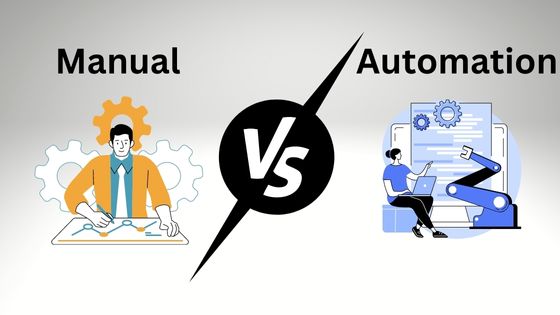
In practice, a hybrid approach is ideal: use automated testing for stable, repeatable flows (especially regressions), and manual testing for exploratory, edge-case, usability, or new features. Many high-quality desktop application testing services adopt this combination.
6. Tools and Frameworks for Desktop Application Testing
Here are some popular tools and frameworks used in desktop app testing:
-
- Squish: Cross-platform GUI test automation tool, supports diverse UI toolkits.
-
- UFT One (formerly QTP): Supports automated functional testing for desktop, web, mobile.
-
- TestComplete: A commercial tool for desktop, web, mobile UI automation (has desktop support). (Mentioned in many industry articles)
-
- Test Studio (Telerik): Supports functional and performance testing for desktop apps (.NET, Windows) and integrates with Visual Studio.
-
- AutoIt / AutoHotKey: Useful for scripting Windows automation, especially for simpler UI flows or helper scripts.
-
- WinAppDriver: A Windows Application Driver built on WebDriver protocol for Windows 10 apps.
-
- Winium: An open-source automation framework for Windows desktop apps, built similarly to Selenium.
-
- Katalon Platform: Supports UI test automation across web, mobile, and desktop apps.
-
- Custom test harnesses / in-house frameworks: Many organizations build internal frameworks, especially for specialized or legacy desktop apps.
-
- “Arctic” (by AWS): A system that supports UI test recording and replay for desktop UIs.
-
- Profiling & performance tools: Tools like Windows Performance Analyzer, memory profilers, CPU profilers, etc. to monitor resource usage.
When choosing a tool, look for:
-
- Support for your target operating systems
-
- Ability to interact with your UI technologies (WPF, WinForms, Qt, Electron, etc.)
-
- Extensibility and scripting support
-
- Integration with your CI/CD pipeline
-
- Stability and ease of maintenance
-
- Licensing / cost vs ROI
7. Best Practices for Desktop Application Testing Services
To deliver high-quality outcomes, desktop app testing services should follow best practices:
Define scope and test strategy early
Identify which OS versions, hardware configurations, workflows, and risk areas to prioritize.
Use virtualization and test labs
Maintain a test lab or virtual machines with representative hardware and OS setups for reproducible testing.
Baseline and clean state environments
For repeatable tests, always start from a known “clean” state (fresh OS install, no prior settings) to avoid side effects.
Build modular and reusable test scripts
Use abstraction in test automation (e.g. page objects, modules) to reduce script breakage when UI changes.
Prioritize high-risk and high-usage flows
Put emphasis on critical user journeys and high-impact features.
Include non-functional testing
Don’t neglect performance, memory, security, reliability, and stress testing.
Continuous regression and nightly builds
Run tests on each build or nightly to catch regressions early.
Error logging, screenshots, and diagnostics
Capture logs, screenshots, memory dumps, and environment details for easier debugging.
Version control and test artifacts management
Keep your test scripts, data, and artifacts under version control to track changes and facilitate collaboration.
Regular review & maintenance
Periodically review failing tests, update scripts, and refactor when UI or workflows change.
Communication & feedback loop
The testing team should continuously sync with developers to clarify bugs, root causes, and fix expectations.
Perform smoke tests before deep testing
On each build, do a lightweight “smoke” pass to catch obvious failures before full regression.
By following these practices, a desktop application testing service can deliver reliable and scalable testing.
8. How to Choose a Desktop Application Testing Vendor
If you’re looking to hire a desktop application testing services provider (outsourcing), here’s a checklist to guide you:
| Criteria | What to Look For |
| Domain experience | Do they have prior experience in desktop apps, especially in your domain (e.g. engineering, healthcare, finance)? |
| Tool expertise | Do they use or support modern desktop automation tools compatible with your stack? |
| Infrastructure & lab setup | Do they maintain a test lab or virtual infrastructure with the OS and hardware you care about? |
| Test coverage strategy | Can they propose functional + nonfunctional coverage (performance, security, compatibility)? |
| Communication & reporting | Do they provide clear test plans, progress reports, dashboards, bug-tracking transparency? |
| Scalability & bandwidth | Can they ramp testers or pivot as needs change? |
| Security & confidentiality | Especially important for desktop software handling sensitive data—look for NDAs, secure practices. |
| Cost vs ROI | Get clarity on pricing models (fixed-bid, T&M, retainer) and ensure value for money. |
| Past references & case studies | Ask for examples or references of desktop app testing projects they’ve done. |
A good vendor becomes a partner in quality, not just a contract.
Conclusion and Next Steps
Desktop application testing services are indispensable for delivering high-quality, robust desktop software. The complexity of OS-level integration, hardware variability, performance demands, and security risks make careful testing critical.
Experience the complete assurance of your desktop software and get our desktop application testing services. You are either releasing a new desktop application or you are continuing to maintain an older version, our QA experience will make your product both stable, secure, performant and compatible – on all the target platforms and in the real world.
The reason why our desktop application testing services are great.
Complete functional coverage: including UI processes, business logic, filepath operations, data storage, permissions, and edge cases.
Compatibility guaranteed: we test on supported OS version, hardware setup, display resolution, and external dependencies to early identify environment-specific problems.
Performance and stability: we test long-runs, memory/CPU consumption, responsiveness, and resource leaks to make sure that your app can work in the real world.
Installation and update validation: fresh installations as well as upgrades, rollbacks and uninstall processes are all tested to streamline the user process.
Security and data safety: we check local file access, encryption and permissions and eliminate unexpected system interactions or information leakage.
Hybrid manual and automation solution: manual usability testing and edge-case testing of the product through exploration with hands-on experimentation; automated regression testing of builds and continuous delivery.
Rich reporting: defect reports, logs, performance dashboards, and root-cause insights can be taken into action and make developers repair bugs more quickly and intelligently.
Ideal: Desktop software vendors, internal tool vendors, engineering or productivity applications, modernization of legacy systems, and systems that are mission-critical and that need high reliability.
The outcomes you can anticipate include reduced number of crashes, increased brand trust, reduced costs of support, reduced number of bugs after the release and increased user satisfaction.