Vibe coding changed everything. For the first time, someone with no programming background can describe an app idea in plain English and have a working product generated in minutes. Tools like Lovable, Bolt.new, Replit, and Cursor have made this a reality, and the adoption numbers are staggering—Collins Dictionary named “vibe coding” its Word of the Year for 2025, and 25% of Y Combinator’s winter 2025 batch used AI-generated code in their startups.
Get a free quote for professional QA testing of your vibe-coded app today.
But here’s the thing nobody warns you about when you’re riding that “it actually worked!” high: Vibe Coding ships code fast. And fast code without testing is how you find out about your bugs in the worst possible way—from real users, in production, after launch.
This guide is written specifically for non-technical founders who’ve built something with Lovable, Bolt, Replit, or any other AI coding tool. You don’t need to understand the code to understand quality assurance. You just need to know what to check and when.
What Is Vibe Coding QA Testing?
QA stands for quality assurance. In the context of vibe-coded apps, it means systematically checking that your application actually does what it’s supposed to do—before your users find out it doesn’t.
Think of it this way: when you built your app, you tested the main flow yourself. You signed up, you clicked around, and you thought, “This looks great.” But you tested it as the person who built it, who knows exactly what every button is supposed to do, using your own device, your own internet connection, and your own browser. That’s not the same as testing it as a stranger who has never seen it before, on a different device, with a different browser, doing unexpected things.
QA testing for vibe-coded apps is not a technical discipline. It is a thinking discipline: mapping what your users should be able to do and checking every path.
Why Vibe-Coded Apps Need More QA, Not Less
You might think, “The AI wrote the code, so surely it wrote it correctly?” This is a very reasonable assumption, and it’s also one that leads to a lot of post-launch headaches.
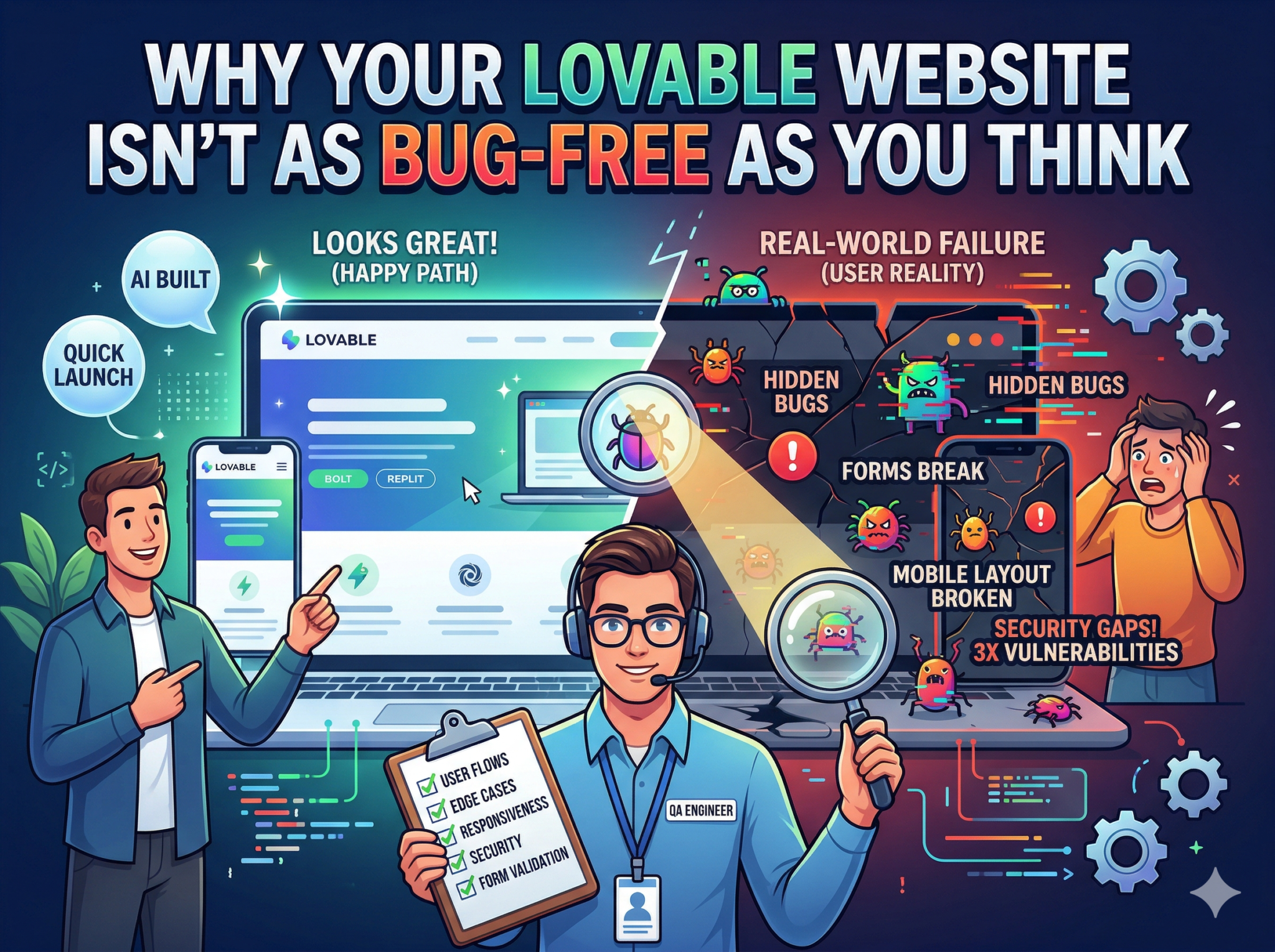
AI programming tools generate code for the happy path— the scenario you described. They are much less reliable when it comes to:
- Edge cases — what happens when someone enters an unusually long name, a special character in a password, or an email with a subdomain?
- Error states — what does the user see when something goes wrong? A blank screen? A cryptic error message? Nothing at all?
- Device and browser variations— AI tools typically generate code that works well in Chrome on a desktop. Safari on iPhone is a different story.
- Concurrent actions — what happens if two users try to book the same appointment slot? Or if someone refreshes during checkout?
- Security boundaries—Are your database rules actually preventing unauthorized access? AI doesn’t always configure these correctly.
The 5 Testing Areas Every Vibe-Coded App Needs
1. Functional Testing — Does It Actually Work?
Go through every feature your app is supposed to have. Don’t just check that buttons look clickable—actually click them. Fill in every form. Complete every user flow from start to finish. Then do it again with unexpected inputs: very long text, special characters, leaving fields empty, and clicking submit twice quickly.
A booking app built by a founder with Lovable worked perfectly in her testing. Then her first customer tried to book on a Saturday, and the calendar showed no available slots. The AI had hardcoded weekday-only availability because the original prompt mentioned weekday meetings. Everything worked — just not for everyone.
2. Responsive Design Testing — Does It Work on Mobile?
Resize your browser window doesn’t count. You need to test on actual mobile devices—iPhone, Android, and different screen sizes. Look for overlapping elements, text that’s cut off, buttons that are too small to tap, and navigation that gets stuck. The majority of your users are on mobile, and “it looked fine on my laptop” is not a sufficient test.
3. Cross-Browser Testing — Safari, Firefox, Edge
Chrome is the developer’s browser. Your users are also on Safari (all iPhone users use Safari’s rendering engine, even with third-party browsers), Firefox, and Edge. CSS animations, form validation, JavaScript behavior — all of these can differ between browsers in ways that break an otherwise working app.
4. Performance Testing — Does It Load Fast Enough?
AI-generated apps can be code-heavy. Unoptimized images, too many third-party scripts, inefficient database queries — these add up. If your site takes more than 3 seconds to load, over half of mobile users will leave before it finishes. Run your URL through Google PageSpeed Insights as a starting point.
5. Security Testing — Is User Data Protected?
If your app collects any information — names, emails, payment details, anything — you have a responsibility to protect it. Vibe-coded apps running on Supabase need to have proper Row Level Security (RLS) rules in place. API keys should never be exposed in frontend code. Forms should validate and sanitize input to prevent injection attacks. These are not things the average non-technical founder knows to check, but they are things a QA professional will look for.
When Should You Run QA Testing?
The answer is: before launch and after every significant update. Here’s a simple framework:
- Before your first launch: full QA pass across all features, devices, and browsers
- After adding a new feature: test the new feature plus any connected functionality
- After a major prompt update in Lovable or Bolt: the codebase has changed, and tests from before may no longer be valid
- When users start reporting weird behavior: take it seriously and do a targeted investigation
DIY Testing vs. Hiring a Professional QA Engineer
You can absolutely do some of this yourself. A structured walkthrough of your own app, tested on a few different devices and browsers, will catch obvious issues. But there are limits to testing your own product — you know it too well, you’ll unconsciously navigate around the rough edges, and you don’t have the trained eye for edge cases that comes from reviewing thousands of sites.
A professional QA engineer brings a fresh perspective, a systematic testing methodology, and experience with the specific failure patterns that show up in AI-generated code. For a launch that matters — a client-facing tool, a paid product, an app handling real user data — professional testing is an investment that pays for itself the first time it catches something critical before it goes live
hat.
Have a lovable or bolt.new app ready to launch? Don’t guess — know. Our QA team has reviewed hundreds of AI-built products and knows exactly where to look.
Ready to get your website properly tested? Get a Free Quote at QAnalyzed.com
Let’s build software that performs flawlessly.